Lever Books
One app for your receipts, invoices and BAS paperwork.
Send the invoice before you leave the job. Take a photo of the receipt and Lever matches it to the payment. See what needs you and what’s really in the bank.
- iPhone
- Web browser
Free to join · Hear first when it opens · Records stored in Sydney
What it does
Three jobs, one app.
For sole traders and small businesses: the paperwork, the cash, and the accountant.
Paperwork, done between jobs
Invoice from your phone on the job, and take a photo of each receipt before it goes in your pocket. Lever matches it to the payment, and your accountant fixes anything that’s off.
Know your cash
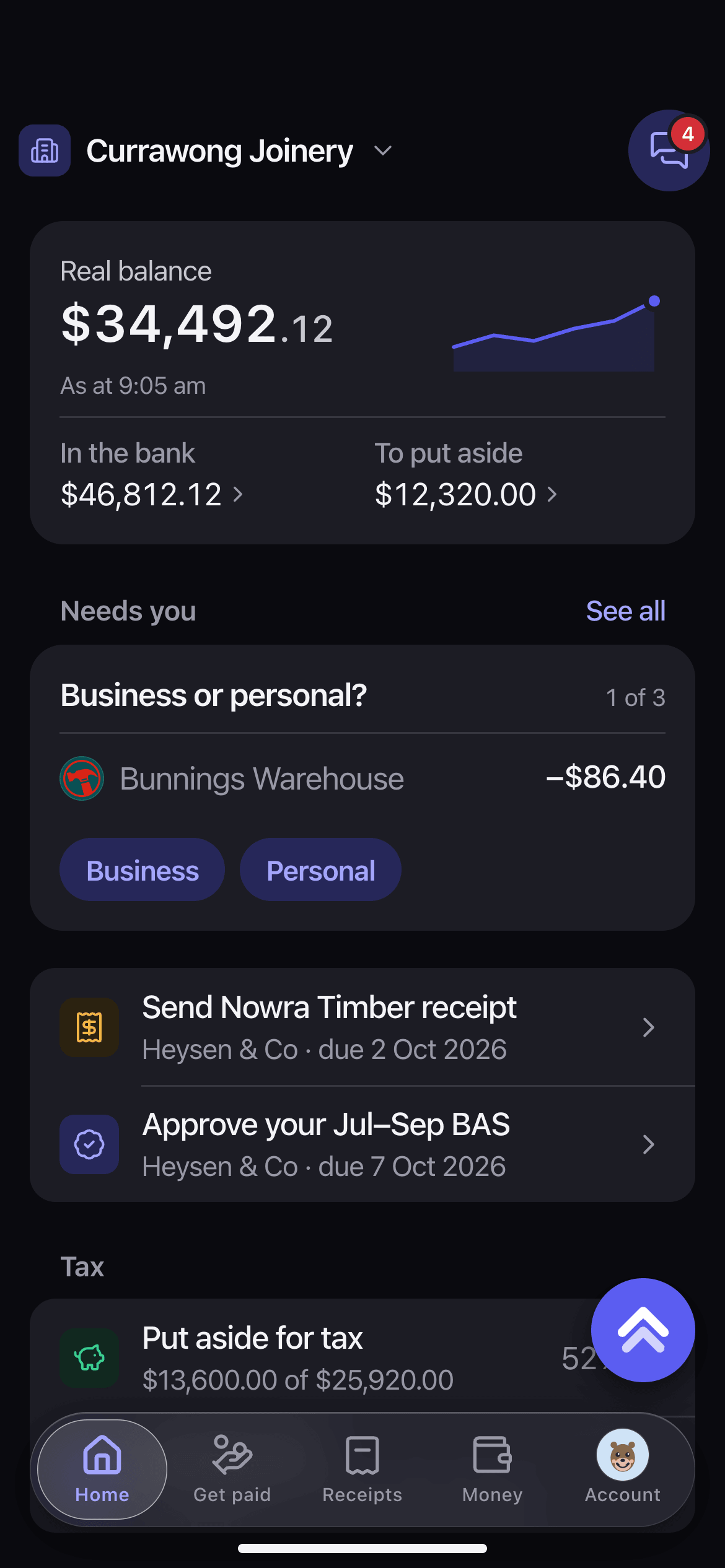
What’s in the bank across your accounts, and what needs you, on one screen every morning.
Your accountant, without the email
Your accountant or bookkeeper asks in the app, and you answer from the payment it’s for. They see your receipts as they come in.
How it works
Get paid, keep the receipts, see what needs you.
Get paid
Get paid on the job
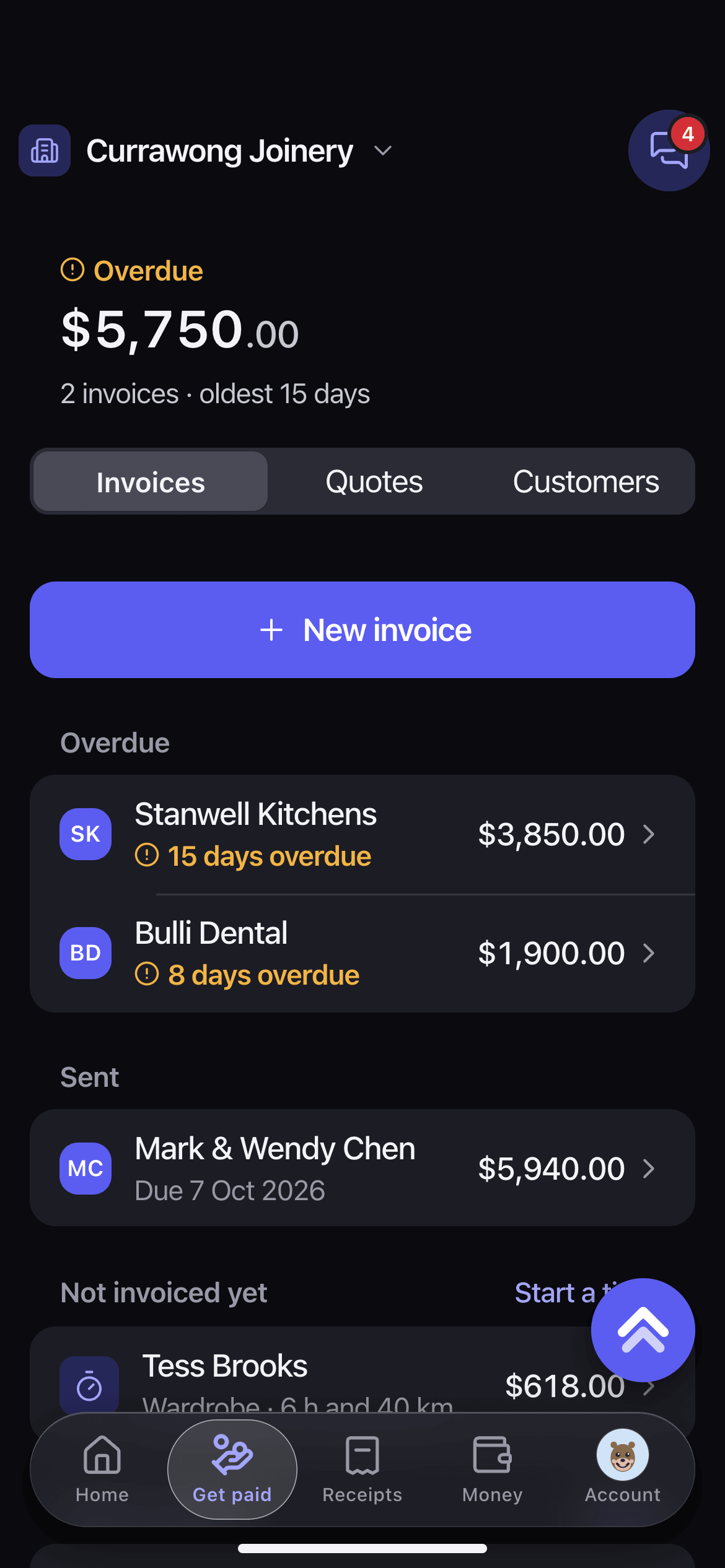
Send the invoice from your phone before you leave the site. See who owes you, and who’s overdue, at a glance.
Receipts
No more shoebox at BAS time
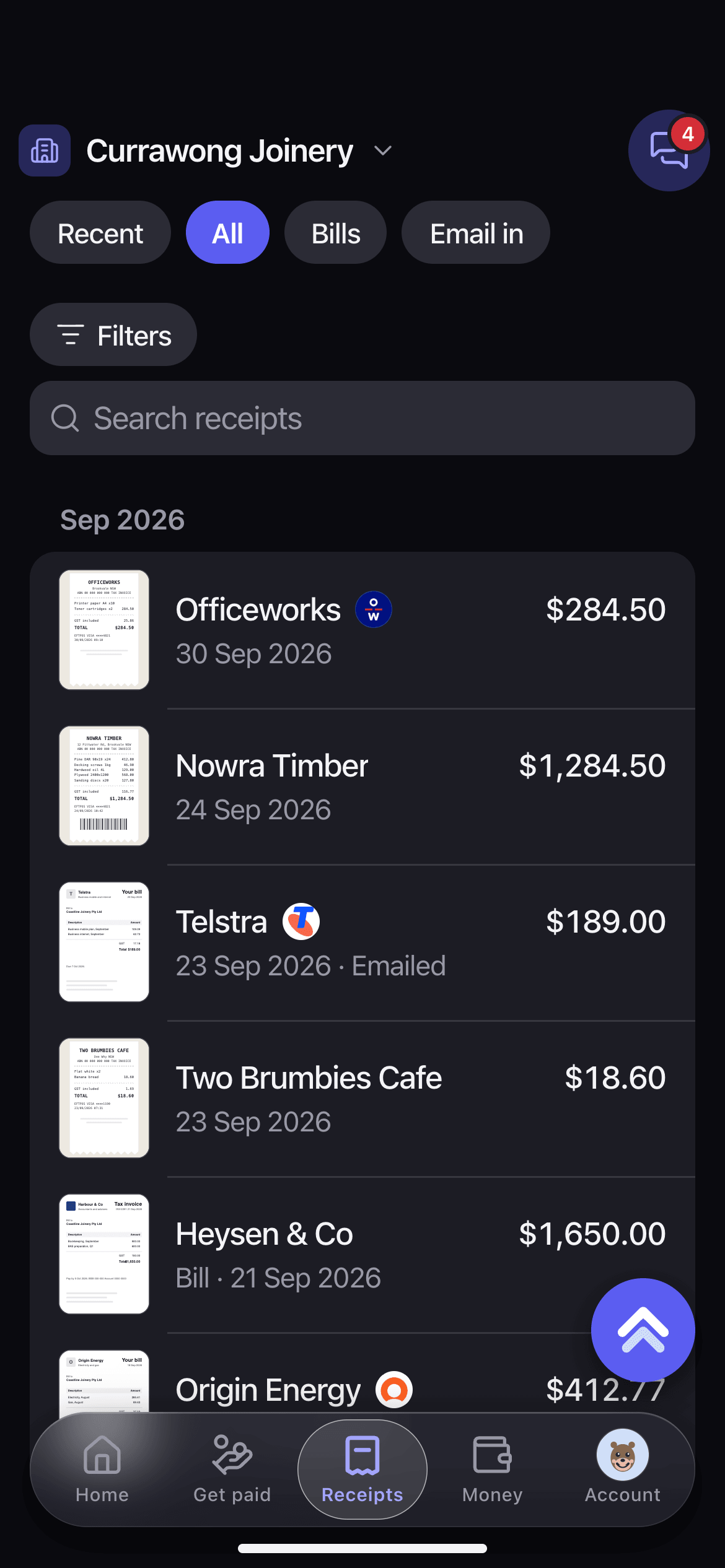
Take a photo of the receipt, or forward the bill by email. Each one is filed against the payment it belongs to, ready when BAS time comes round.
Home
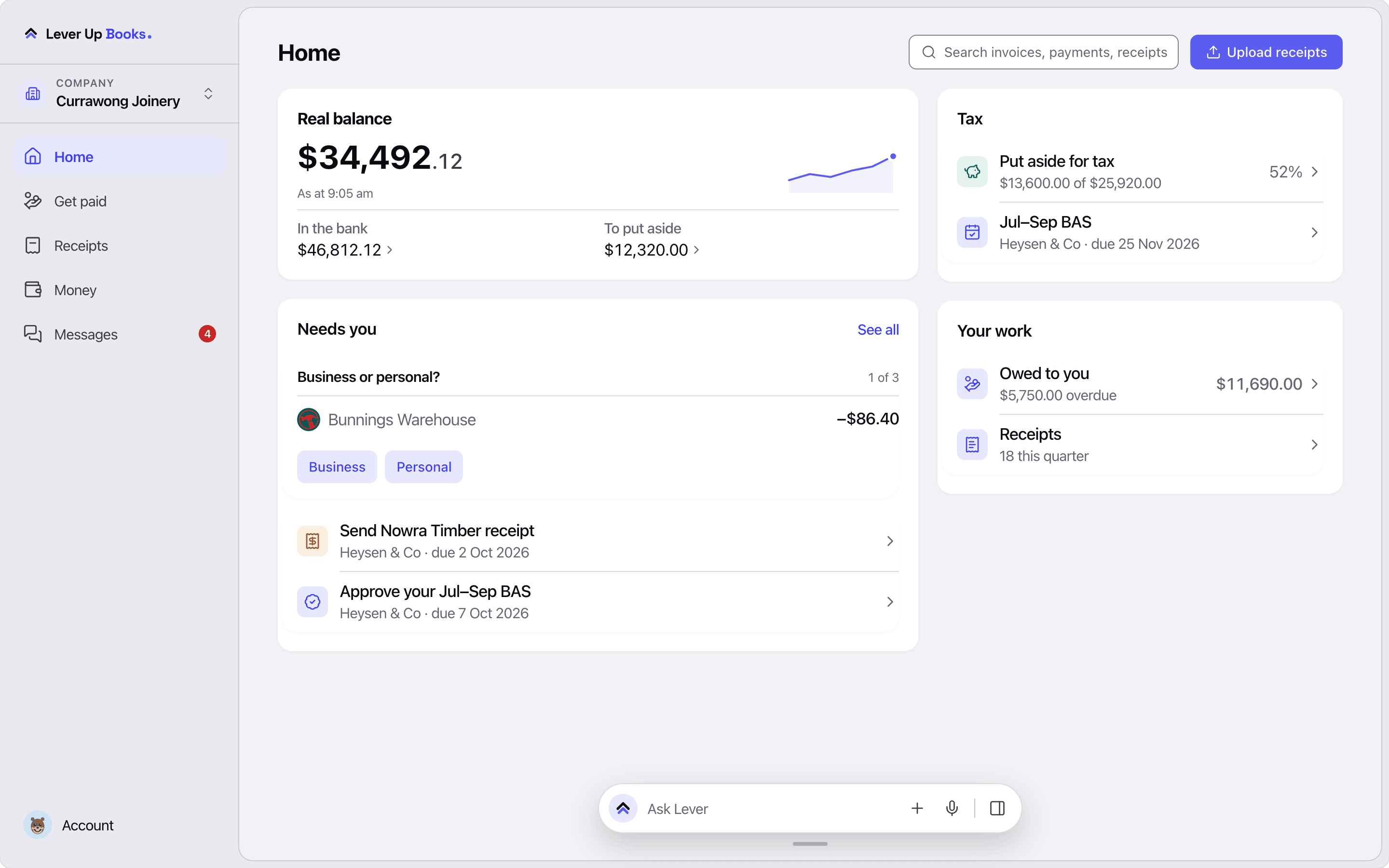
What needs you, and the cash
The questions only you can answer, the receipts your accountant is waiting on, and what’s in the bank.
Your accountant
Answer your accountant from the payment
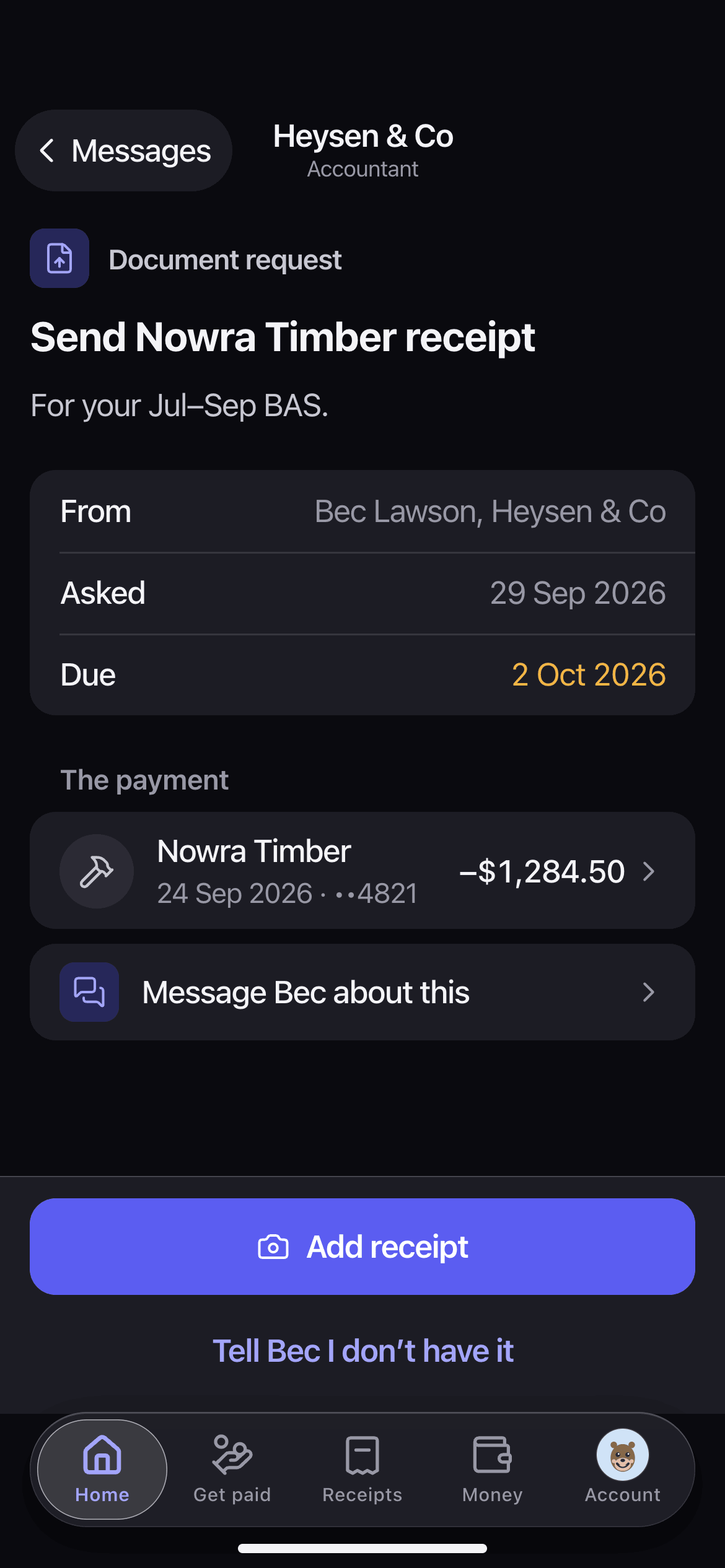
When your accountant asks for a receipt, the request shows the payment it’s for. Add the photo, or tell them you don’t have it.
iPhone and web
On the job and at the desk.
The same books in your browser
Sign in on the web with the same account and see the same Home. Drop a pile of receipts in at once at the desk, then pick up on your iPhone on the next job.
Questions
Before you join
Yes. Make the invoice on your phone on site and send it before you go. Then see who owes you and who’s overdue, without carrying the chase in your head.
Yes. Take a photo and Lever keeps it with the payment it belongs to. The ATO accepts a clear digital copy of a receipt as a record; your accountant can tell you what else to keep.
No. You send the invoices and take the photos. Lever matches each receipt to its payment, and your accountant or bookkeeper fixes anything that’s off.
Your records are stored in Sydney. Bank feeds come through Fiskil, under the Consumer Data Right, and only when you choose to connect a bank. Nobody sees your books unless you invite them.
Joining the waitlist costs nothing. We’ll tell you what Lever Books costs before it opens, and you decide then.
Keep it if it works for you. What a spreadsheet can’t do is match each receipt to its payment, or let your accountant see it the day it comes in. Lever does both.
Invite your accountant or bookkeeper and they log in to see your receipts and matches. Lever doesn’t send anything into their accounting software.
No. It keeps the receipts and payments your BAS needs in one place. You or your accountant lodge it as you do now.
Lever Books is on iPhone and the web. On an Android phone, use it in the browser.
Run the business, not the admin.
Join the waitlist and we’ll email you the day Lever Books opens.
Free to join · Records stored in Sydney
Questions first? Email us at hello@leverup.com.au.